
Introduction
If you’re building apps with FlutterFlow, there’s an exciting new tool you should definitely explore — FF Designer.
It’s an AI-powered design tool that can generate high-quality app screens in seconds, while still giving you full control to edit and customize everything.
In this article, let’s take a quick look at what FF Designer offers and why it’s a game-changer for developers and designers.
What is FF Designer?
- FF Designer is a newly launched tool by FlutterFlow that uses AI to generate UI screens from natural language prompts.
Instead of manually designing every screen, you can simply describe what you want — and the tool creates a ready-to-use UI instantly.
Think of it as combining design + AI + FlutterFlow workflow into one powerful experience.
Key Features
AI-Powered UI Generation
Create complete app screens using simple prompts like:
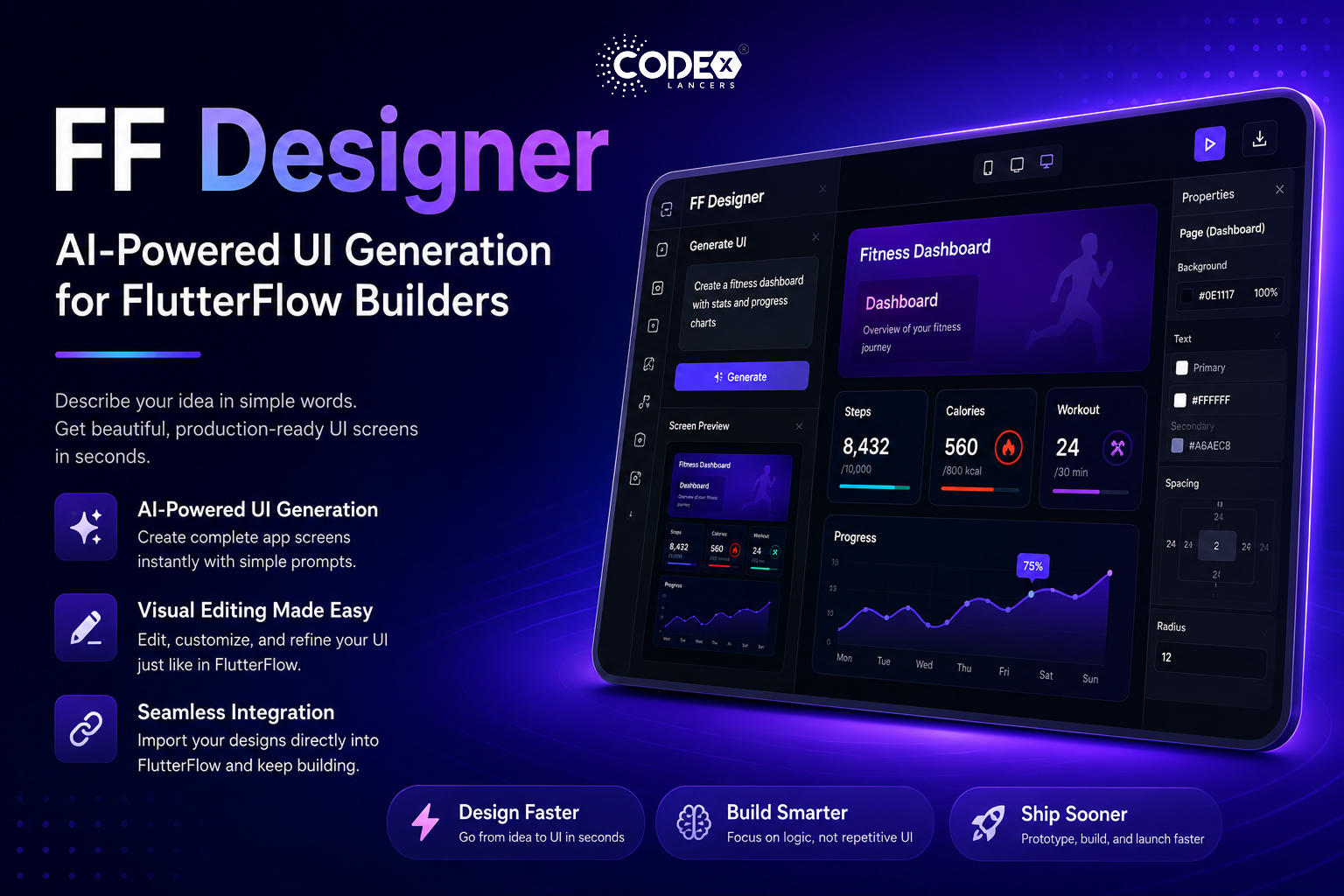
“Create a fitness dashboard with stats and progress charts”
Within seconds, FF Designer generates a structured, visually appealing layout.
Visual Editing (Like FlutterFlow)
You can:
- Modify components visually
- Adjust layouts, colors, and spacing
- Customize elements just like you would in FlutterFlow
No learning curve — it feels familiar and intuitive.
Easy Integration with FlutterFlow
Import generated designs directly into your FlutterFlow project
Export assets for other workflows
This makes it easy to move from idea → design → development seamlessly.
Why This Matters
This launch reflects a bigger shift:
AI is no longer just experimental — it’s becoming a practical productivity tool.
With FF Designer:
- Designers can prototype faster
- Developers can skip repetitive UI work
- Teams can move from idea to execution much quicker
Inspired by Dreamflow
FF Designer builds on concepts introduced in Dreamflow, showing how AI can assist in real-world development workflows — not just generate ideas, but actually help build usable UI.
Who Should Use It?
FF Designer is perfect for:
- App developers using FlutterFlow
- UI/UX designers
- Startup founders building MVPs
- Anyone prototyping ideas quickly
Try It Yourself
You can explore FF Designer here:
https://designer.flutterflow.io/
Conclusion
FF Designer is a strong step toward the future of app development — where AI assists creativity instead of replacing it.
If you’re already using FlutterFlow, this tool can significantly speed up your workflow and help you build better UI faster.
Final Thoughts
Low-code is evolving.
AI is accelerating it.
And tools like FF Designer are bringing both together in a powerful way.
#FlutterFlow #AI #Mobile Development #UI Design #No Code