
Overview
In modern applications, secure and seamless user onboarding is critical — especially when identity verification (KYC) is involved.
In this article, I’ll walk through how we integrated the uqudo SDK Flutter plugin into a FlutterFlow application using Custom Actions to enable a robust identity verification flow.
This solution leverages uqudo’s official Android and iOS SDKs to deliver a secure, scalable, and efficient KYC experience — particularly optimized for users across the Middle East & Africa.
Objective
The goal was to implement a reliable identity verification system in FlutterFlow that:
- Accelerates user onboarding
- Reduces manual verification efforts
- Seamlessly integrates into a no-code / low-code workflow
- Maintains high security and accuracy
Technology Stack
- FlutterFlow
- Custom Actions (Flutter code)
- uqudo SDK Flutter Plugin
- Android & iOS Native SDKs
- Device Camera (Front Camera)
Architecture & Implementation Approach
To integrate uqudo into FlutterFlow, we followed a hybrid approach:
- The uqudo Flutter plugin was added to the FlutterFlow project
- Custom Actions were used to bridge FlutterFlow UI with SDK functionality
- Platform-specific logic was handled in:
- android/ (native implementation)
- ios/ (native implementation)
This approach allowed us to:
- Use advanced native SDK features
- Keep FlutterFlow UI clean and manageable
- Maintain flexibility for future enhancements
Verification Flow
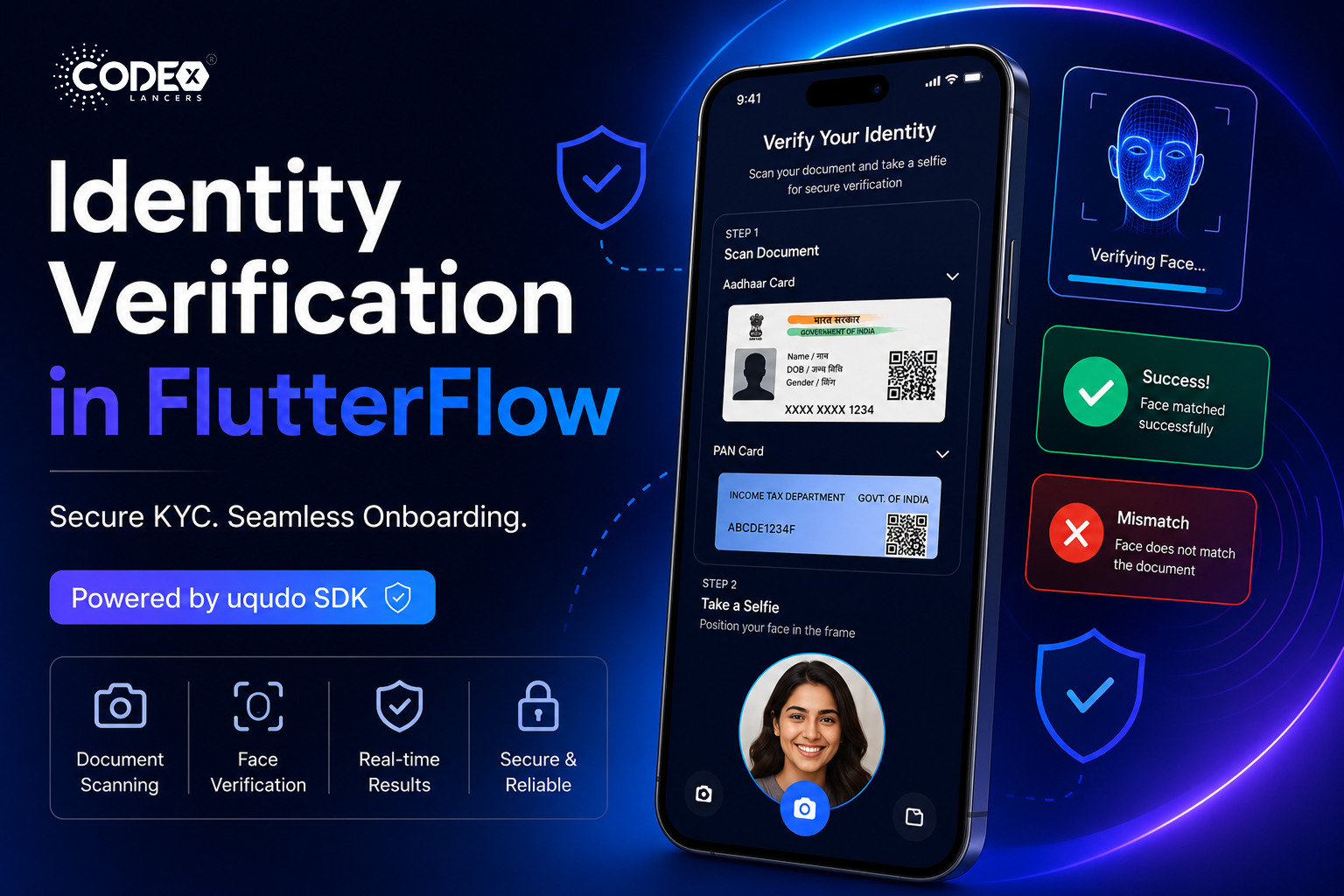
1. Identity Document Scanning
We implemented document scanning for:
- Aadhaar Card
- PAN Card
Using uqudo’s document verification capabilities, the app extracts and validates identity data efficiently.
2. Face Capture & Biometric Verification
- The device’s front camera is used to capture the user’s face
- Face matching is performed against the scanned document
This ensures:
- Authenticity
- Fraud prevention
- Real-time verification
3. Verification Result Handling
Clear outcomes are displayed directly in the UI:
- Face matched successfully
- Face mismatch detected
This improves transparency and user trust during onboarding.
4. Error Handling & User Feedback
Robust error handling was implemented using Custom Actions to manage:
- Invalid document scans
- Face mismatch scenarios
- Camera permission issues
- SDK-related errors
Providing clear feedback significantly improved the user experience.
Outcome & Impact
- Successfully implemented a production-ready KYC flow within FlutterFlow
- Reduced onboarding friction with automation
- Enabled seamless integration of native SDKs in a low-code environment
- Improved user trust with real-time verification feedback
Key Learnings
- FlutterFlow Custom Actions are powerful for integrating complex SDKs
- Combining low-code UI with custom Flutter logic offers both speed and flexibility
- Native SDK integration is achievable without compromising maintainability
- Proper error handling is critical for user trust and retention
Conclusion
Integrating the uqudo SDK in FlutterFlow using Custom Actions proved to be an effective approach for building a secure and scalable identity verification system.
This method bridges the gap between low-code development and advanced native capabilities, enabling faster delivery without sacrificing control or performance.
Final Thoughts
If you’re building a FlutterFlow app that requires KYC, identity verification, or onboarding automation, this approach can significantly reduce development complexity while ensuring a high-quality user experience.
#FlutterFlow #Flutter #MobileDevelopment #KYC #IdentityVerification