Flutter makes building beautiful apps easy — but as your app grows, managing data across screens becomes challenging.
You may have faced issues like:
- UI not updating properly
- Data not syncing between screens
- Too many unnecessary rebuilds
This is exactly where state management becomes essential.
In this guide, we’ll break down everything — from basics to advanced approaches — so you can confidently choose the right solution.
What is State Management?
In simple terms:
State = Any data that changes in your app
Examples:
- Counter value
- API response
- User login status
- Theme (dark/light)
State Management = How you manage and update that data efficiently across your app
Without proper state management:
- Your UI becomes unpredictable
- Code becomes hard to maintain
- Scaling becomes difficult
1. setState (The Simplest Way)
What it is
Built-in Flutter method to update UI when state changes.
Example :
class CounterPage extends StatefulWidget {
const CounterPage({super.key});

@override
State createState() => _CounterPageState();
}

class _CounterPageState extends State {
int _count = 0;

void _increment() {
setState(() { // triggers a rebuild
_count++;
});
}

@override
Widget build(BuildContext context) {
return Scaffold(
body: Center(child: Text('Count: $_count')),
floatingActionButton: FloatingActionButton(
onPressed: _increment,
child: const Icon(Icons.add),
),
);
}
}
When to use :
Purely local UI interactions with no cross-widget communication — toggle buttons, form field validation, simple animations, local loading spinners.
2. Provider
What it is
A wrapper around InheritedWidget for structured state management.
Example :
// 1. Define a ChangeNotifier
class CartProvider extends ChangeNotifier {
final List _items = [];
List get items => _items;

void addItem(String item) {
_items.add(item);
notifyListeners(); // triggers rebuild in listeners
}
}

// 2. Wrap your tree with ChangeNotifierProvider
ChangeNotifierProvider(
create: (_) => CartProvider(),
child: const MyApp(),
)

// 3. Read or watch in any descendant widget
final cart = context.watch();
Text('${cart.items.length} items in cart')
When to use :
Small-to-medium apps with straightforward state that doesn’t need complex async logic. Great for your first real Flutter project beyond tutorials.
3. Riverpod (Modern Approach)
What it is
A more powerful and safer version of Provider.
Example :
// pubspec.yaml
// riverpod_annotation: ^4.0.2
// riverpod_generator: ^4.0.3

part 'auth_notifier.g.dart';

// Class-based notifier with codegen
@riverpod
class AuthNotifier extends _$AuthNotifier {
@override
AuthState build() => const AuthState.initial();

Future signIn(String email, String password) async {
state = const AuthState.loading();
try {
final user = await AuthService().signIn(email, password);
state = AuthState.authenticated(user);
} catch (e) {
state = AuthState.error(e.toString());
}
}
}

// In a ConsumerWidget — no BuildContext magic needed
class AuthScreen extends ConsumerWidget {
const AuthScreen({super.key});

@override
Widget build(BuildContext context, WidgetRef ref) {
final authState = ref.watch(authNotifierProvider);

return authState.when(
initial: () => const LoginScreen(),
loading: () => const CircularProgressIndicator(),
authenticated: (user) => HomeScreen(user: user),
error: (msg) => ErrorView(message: msg),
);
}
}
When to use :
Medium-to-large apps where you want clean architecture, excellent async support, and testability without Bloc’s ceremony. Excellent choice for solo developers and small teams building production apps.
4. Bloc / Cubit (Enterprise-Level)
What it is
A structured pattern using streams.
- Bloc → Event-driven
- Cubit → Simpler version
Example :
// State class
class AuthState {
final bool isAuthenticated;
final String? userId;
const AuthState({required this.isAuthenticated, this.userId});
}

// Cubit — logic lives here, NOT in the widget
class AuthCubit extends Cubit {
AuthCubit() : super(const AuthState(isAuthenticated: false));

Future signIn(String email, String password) async {
final user = await AuthService.signIn(email, password);
emit(AuthState(isAuthenticated: true, userId: user.id));
}

void signOut() => emit(const AuthState(isAuthenticated: false));
}

// Widget — just listens, zero logic
BlocBuilder(
builder: (context, state) {
return state.isAuthenticated
? const HomeScreen()
: const LoginScreen();
},
)
When to use :
Large-scale apps with complex business logic, multiple async operations, strict testability requirements, or teams that need predictable, traceable state transitions. Common in enterprise and fintech Flutter apps.
5. GetX (Fast & Lightweight)
What it is
All-in-one solution (state + routing + dependency injection).
Example :
// Controller — reactive variables with .obs
class ProfileController extends GetxController {
  final RxString name = ''.obs;
  final RxBool isLoading = false.obs;

  Future loadProfile() async {
    isLoading.value = true;
    final data = await ApiService().getProfile();
    name.value = data.name;
    isLoading.value = false;
  }
}

// Widget — Obx auto-rebuilds when .obs changes
class ProfilePage extends GetView {
  @override
  Widget build(BuildContext context) {
    return Obx(() {
      if (controller.isLoading.value) {
        return const CircularProgressIndicator();
      }
      return Text(controller.name.value);
    });
  }
}

// Navigation — no BuildContext needed
Get.to(() => const ProfilePage());
Get.back();
When to use :
Prototypes, hackathons, small personal projects, or when you need to move very fast and want everything under one roof. Use with caution in large team environments.
Real-World Use Cases
Small Apps
Use:
- setState
- Provider
Example: Forms, basic apps
Medium Apps
Use:
- Provider
- GetX
Example: Dashboard, e-commerce
Large Apps
Use:
- Riverpod
- Bloc
Example: Production apps with APIs
Team / Enterprise
Use:
- Bloc
- Riverpod
Better maintainability and structure
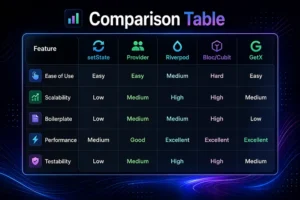
Final Recommendation
Beginner
Start with:
- setState → then Provider
Intermediate
Use:
- Riverpod (recommended)
- or GetX
Advanced / Production
Use:
- Riverpod (modern + scalable)
- Bloc (enterprise structure)
Final Thoughts
There is no single “best” state management solution.
The right choice depends on:
- App complexity
- Team size
- Development speed
- Maintainability needs